使用expect脚本
expect安装:brew install expect
脚本:
#!/usr/bin/expect -f

set timeout 30
spawn ssh [lindex $argv 0]@[lindex $argv 1] -t "cd [lindex $argv 3];bash --login"
expect {
        "(yes/no)?"
        {send "yes\n";exp_continue}
        "password:"
        {send "[lindex $argv 2]\n"}
}
interact
com+o 弹出Profiles,点击Edit Profiles
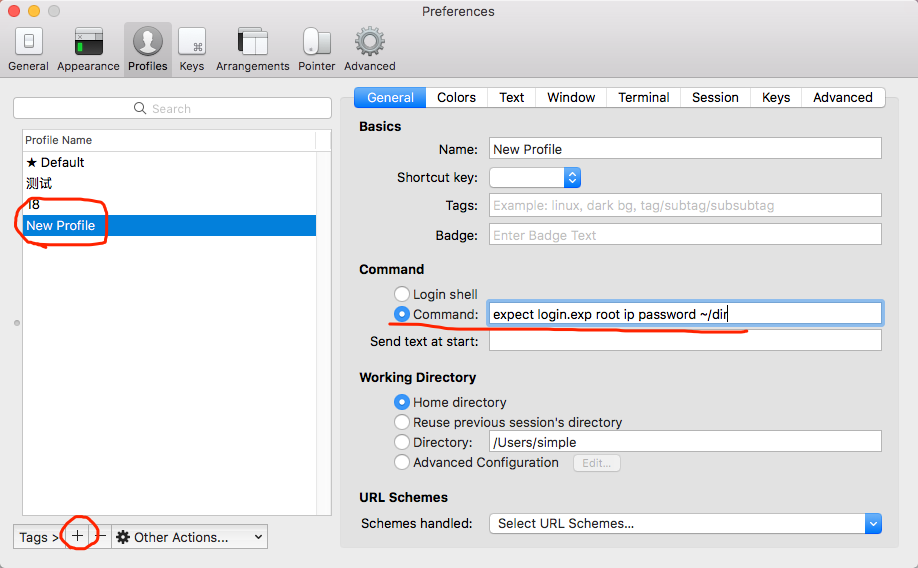
点击+号新建Profiles –> Command -> expect login.exp root ip password ~/dir
login.exp:目录+脚本名
root:登录名
ip:IP地址
password:登录密码
~/dir:要切换到目录